A clearer picture of your portfolio.
See what you own, where your portfolio is concentrated, and what deserves a closer look.
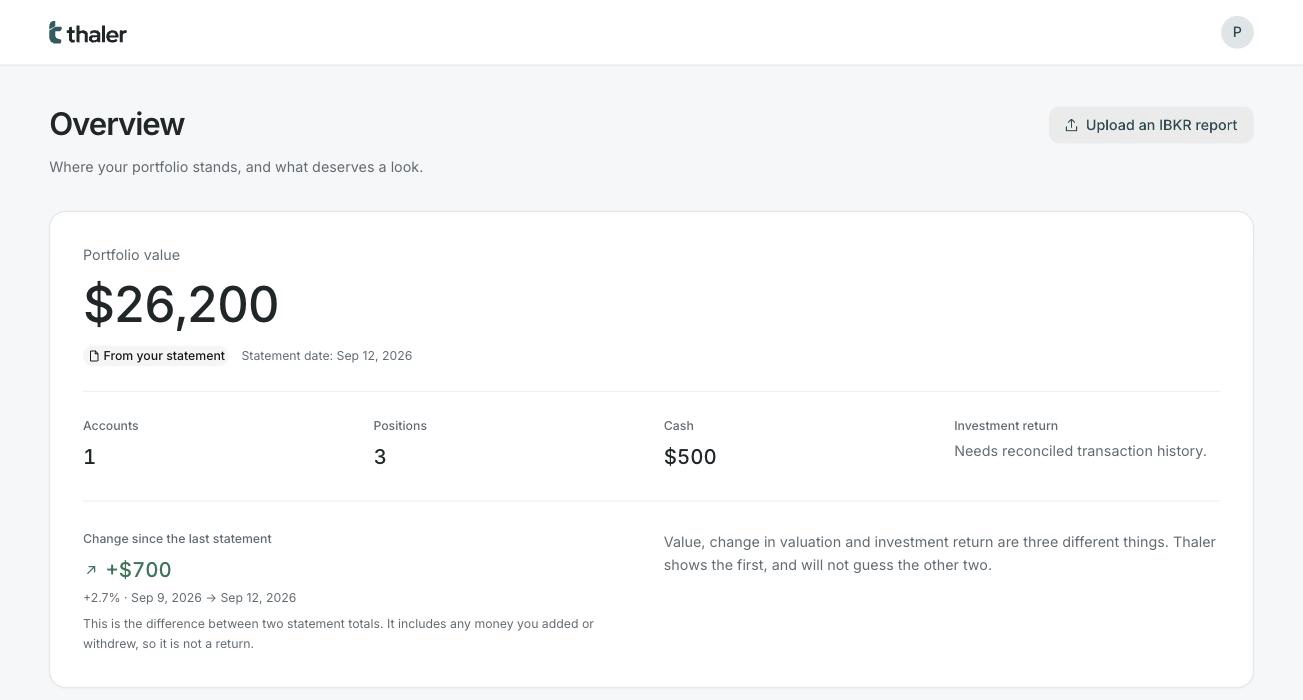
Three questions your broker will not answer
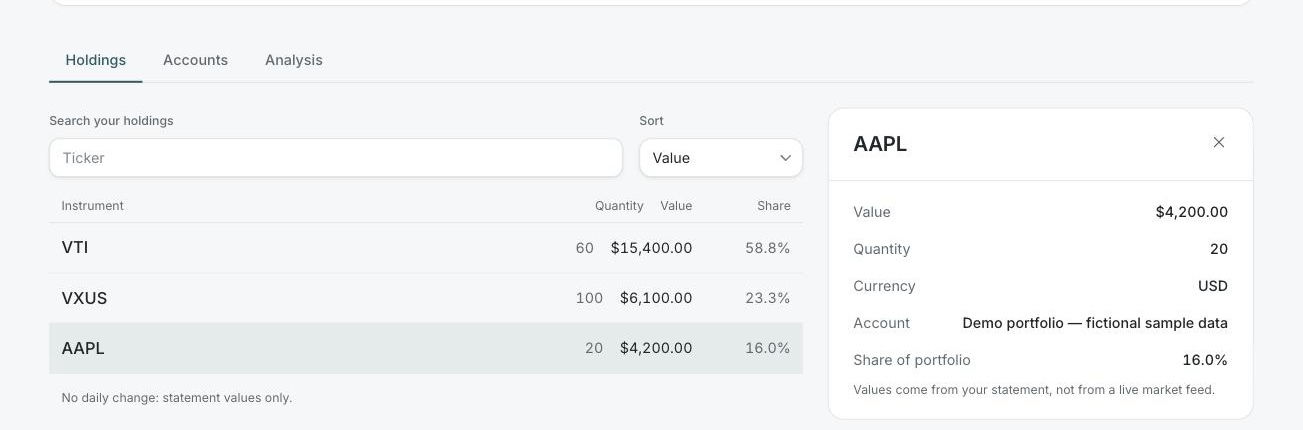
What do I own?
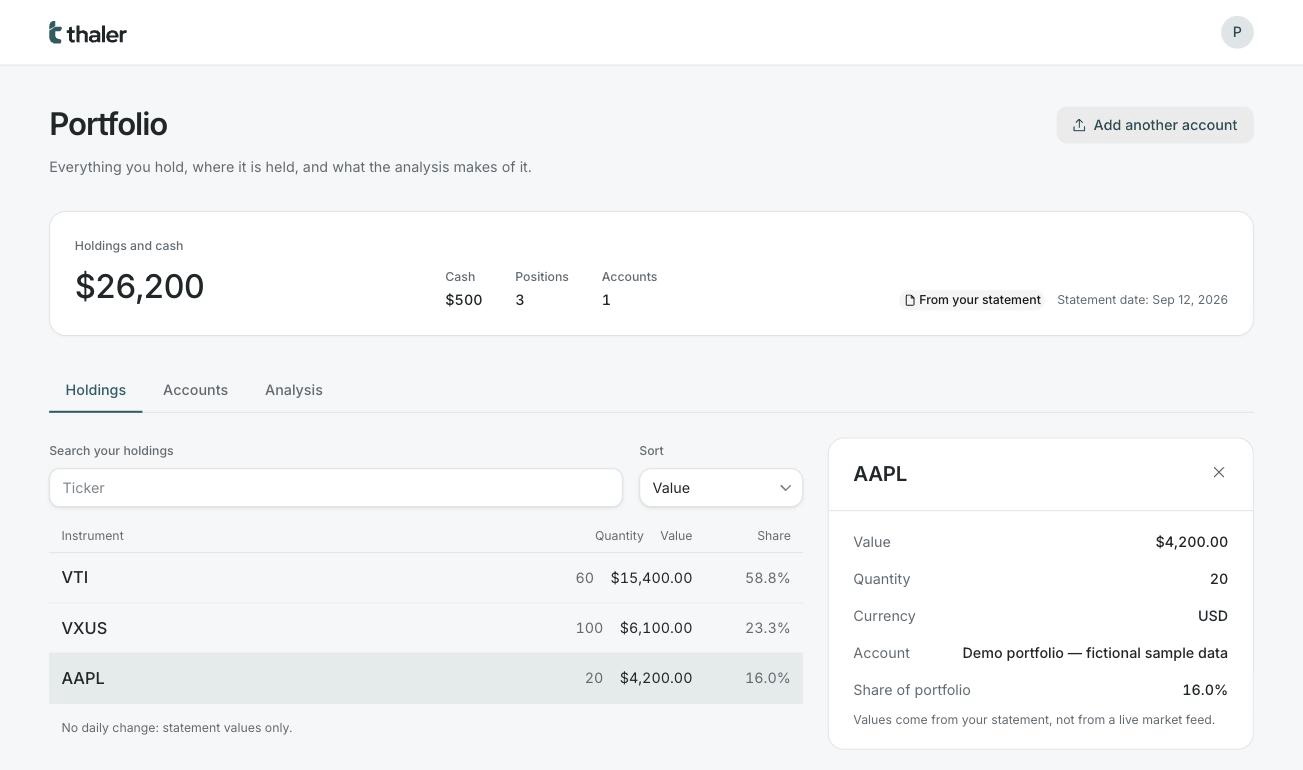
Every position from every statement in one list, with its quantity, its value and its share of the whole. Open one to see the account it sits in.
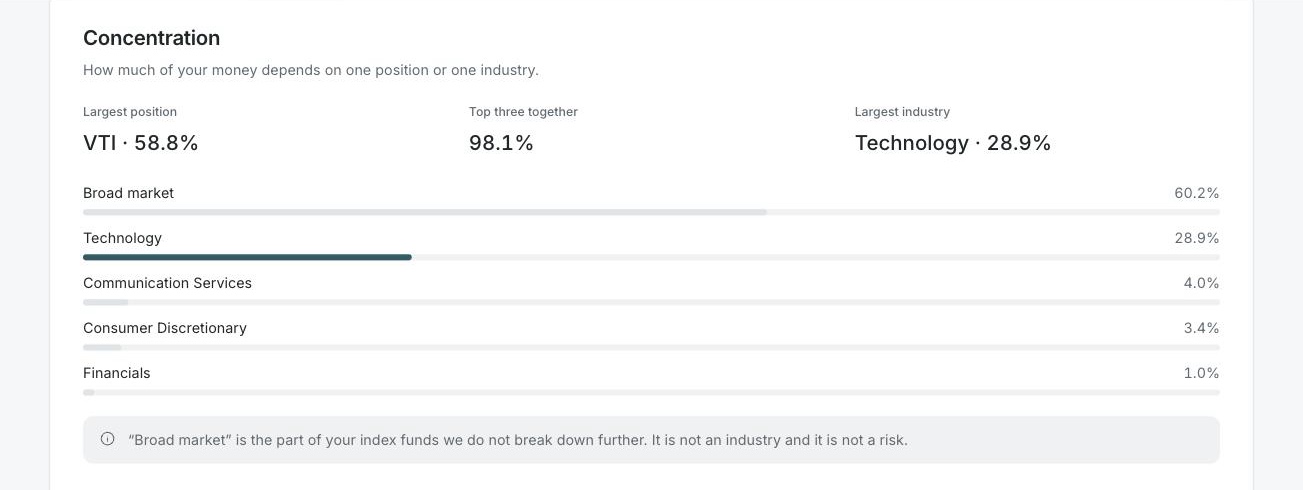
Where am I concentrated?
Your largest position, your largest industry, and what your index funds are holding on your behalf — added to what you hold directly.
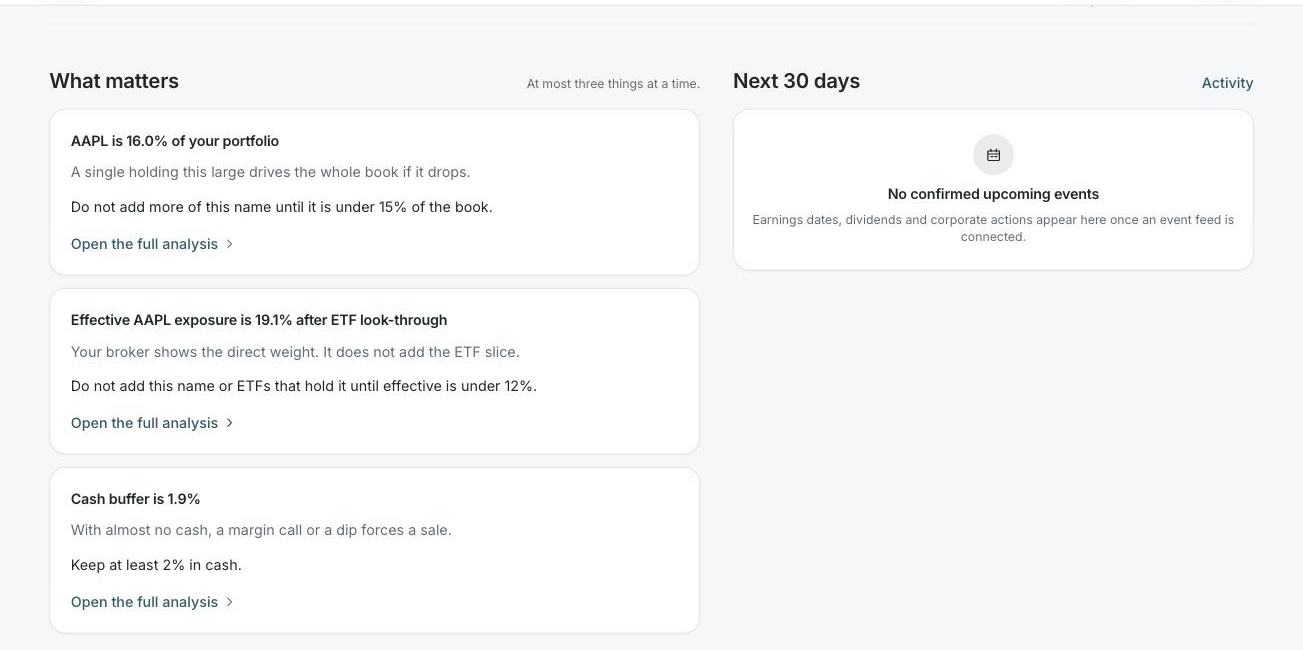
What needs my attention?
At most three findings at a time. Each one states the fact, why it matters to you, and the one thing to do about it.
How it works
-
Add your data
Upload an Interactive Brokers Activity Statement (CSV). Thaler reads it into a private review draft; nothing enters your portfolio until you confirm.
-
Check your portfolio
Thaler shows the account, date, positions and cash it found. You compare them with the original before they enter your portfolio.
-
Get the overview
Value, concentration, fund overlap, currency exposure, a US-tech stress check and a grade from A to F.
Automatic broker connections are not available yet. Importing a newer statement is how a portfolio is brought up to date.
Detail when you ask for it
Open a position and it appears beside the list, with the list still in view. The analysis — concentration, fund overlap, currency and the stress check — lives one tab away rather than crowding the screen you look at every day.
Where the numbers come from
- Where do the numbers come from?
- From the statement you upload, and nothing else. Thaler does not connect to your broker and does not ask for your broker password.
- What updates on its own?
- Nothing, yet. There is no market feed and no broker connection, so your portfolio changes only when you import a newer statement.
- When do I need a new file?
- Whenever you want newer positions or a newer cash balance — after a trade, a deposit, or simply at the end of a month.
- Why does every value carry a date?
- Because it is a statement value, not a live quote. The date is the day your broker valued it, and Thaler keeps saying so.
- What can Thaler do today?
- Statement import with a review step, concentration, fund look-through, currency exposure, a US-tech stress scenario and the A–F grade with the rules behind it.
Questions
Which statements are supported?
The Interactive Brokers Activity Statement (CSV), up to 10 MB. PDF and spreadsheet statements are not read yet.
Does my portfolio update automatically?
No. Positions and cash come from the statement you last imported. Automatic broker connections and daily valuation are not available yet.
Do I have to give Thaler my broker password?
No. You export a statement from your broker and upload the file. Thaler never asks for broker credentials.
How is the grade calculated?
It starts at 100 and subtracts for a position that is too large, an industry that is too large, hidden stacking through funds, a single-currency portfolio with nothing international underneath, and almost no cash. Every deduction is listed with its reason.
What happens if my data is incomplete?
Thaler says so and shows no total. A missing cash balance, a missing statement date or an account in another currency all leave the portfolio incomplete rather than producing a confident wrong number.
Is Thaler an investment adviser?
No. Thaler is an analytics tool. It describes what you already hold; it does not recommend what to buy or sell.